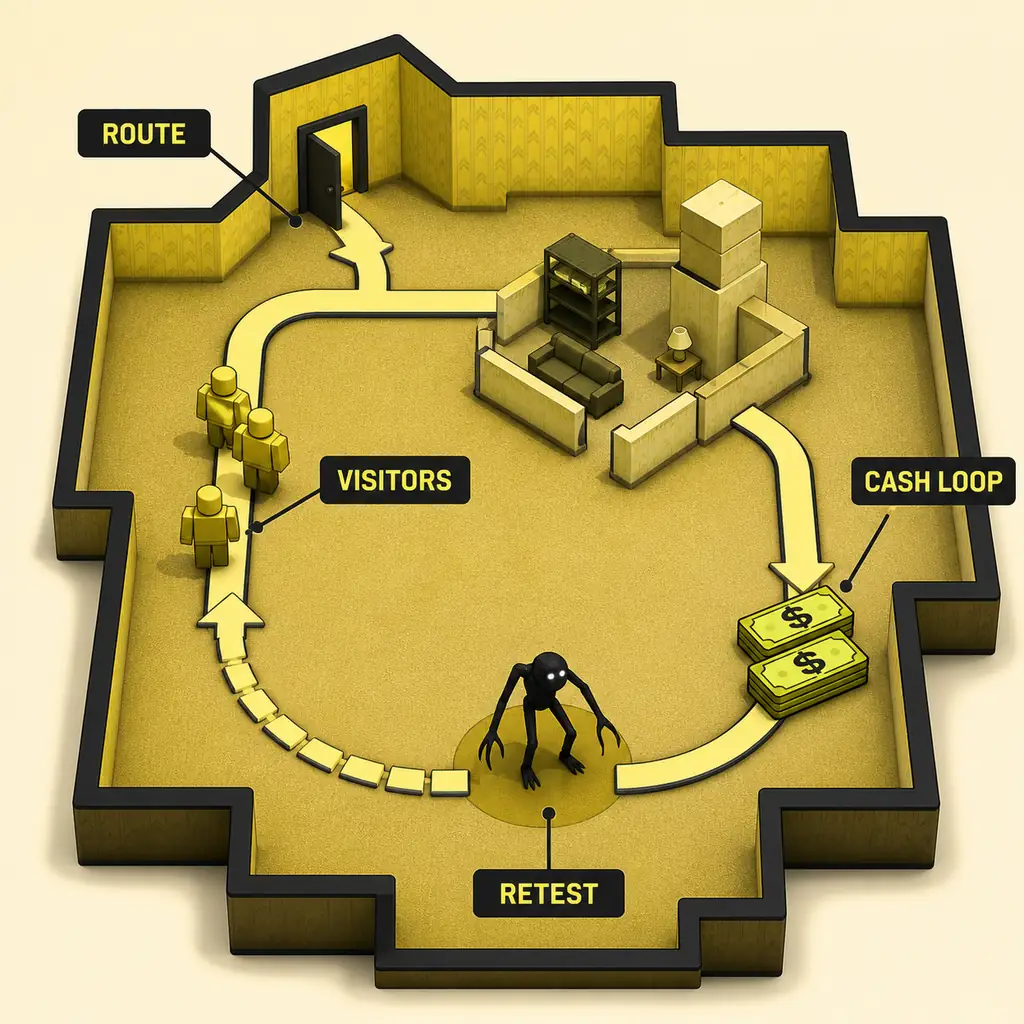
Join the right Roblox experience, separate your plot from the visitor route, finish one readable build, and retest before spending more time or cash.
Join safelyBuild one routeRetest the result
Quick answer
Start with the official experience, a small plot, and one complete route.
The fastest useful first session is not a giant maze. Open the official Roblox experience, identify the buildable plot, place an entrance-to-checkpoint route, switch into the normal play view, and watch whether visitors use it. Add a monster or a branch only after the first route gives you a repeatable signal.
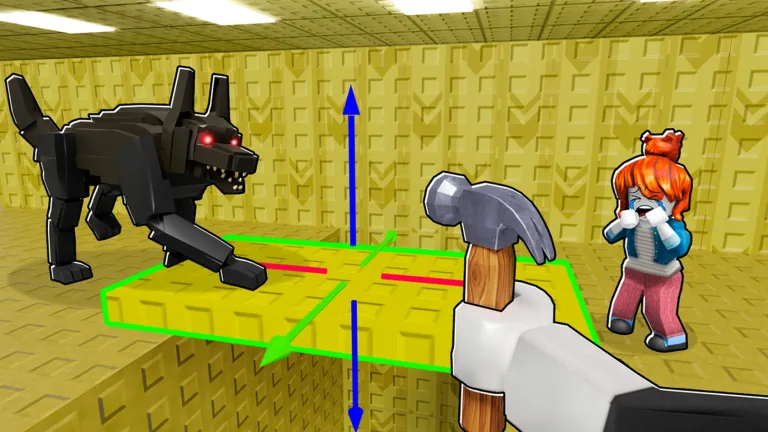
Official Roblox media provides game context; the step-by-step claims on this page are framed as a repeatable player workflow, not as a measured gameplay screenshot.
First-session plan
How to Play Build Your Backrooms in 7 Steps
Use the sequence below as a practical checklist. A step passes when you can describe what changed and observe the next signal without guessing hidden values.
Step
What to do
What a useful signal looks like
1. Open the right game
Use the official Roblox experience link and check the title before joining.
You can identify the intended Build Your Backrooms page instead of a similarly named Backrooms game.
2. Read the plot
Find the space you can build in and notice the visible prompts before decorating.
You know which area is yours and where a visitor route could start.
3. Build one short route
Connect an entrance, a main lane, one turn, and a visible checkpoint.
Another player could point to the route and explain its direction.
4. Test the play view
Leave the build view when appropriate and walk the route with the normal Roblox camera and movement.
You can see whether the path is readable without relying on a diagram alone.
5. Watch visitors
Observe the entrance, main lane, and first turn more than once before adding variables.
Visitors repeat enough movement for you to tell a route issue from a placement issue.
6. Add one change
Try one monster, cash-related decision, branch, or connection while keeping the baseline clear.
You can say which single change helped, hurt, or remains unverified.
7. Expand and retest
Keep the old route as a reference, change one area, and repeat after visible updates.
The larger build is still explainable and the result survives more than one pass.
Platform checks
PC, mobile, and controller controls: what to trust
Roblox supplies the basic movement and camera layer, while Build Your Backrooms can change its build prompts and UI. Use the current on-screen prompt as the source of truth instead of copying an old shortcut list.
Platform
Reliable starting point
Avoid this mistake
PC
Use the standard Roblox keyboard/mouse movement and camera, then follow the visible build or rotate prompt.
Do not assume a keybind from another Roblox building game still works here.
Mobile
Use the virtual movement stick and touch camera, then tap the current build control shown in the game UI.
Do not place a long route before checking that the camera and thumb position leave the path readable.
Controller
Use the standard sticks and the current on-screen action prompt for selection, placement, or rotation.
Do not treat a generic controller guide as proof of a game-specific button mapping.
First-session guide
What this guide means by how to play
Generic searches for how to play Backrooms in Roblox mix several experiences, horror games, and videos. This page is narrower: it is for the Build Your Backrooms experience named in the official link. The goal is to get a new player from the join screen to a small, testable build. It does not claim that every Roblox Backrooms game uses the same rooms, buttons, monsters, rewards, or economy. When the game UI changes, the visible prompt and the current play session outrank an old screenshot or copied shortcut list.
First-session guide
Step 1: verify the experience before you build
A first-session mistake can happen before the map loads. Open the official Roblox page, compare the experience name and public thumbnail, and then confirm that the page you joined is the intended Build Your Backrooms experience. This matters because broad Backrooms searches return many unrelated Roblox games. The official link is a navigation aid, not a claim that every public value on the game page describes current gameplay. If the title, creator information, thumbnail, or visible interface looks different, pause and recheck before treating the rest of this guide as a match.
First-session guide
Step 2: separate the plot from the route
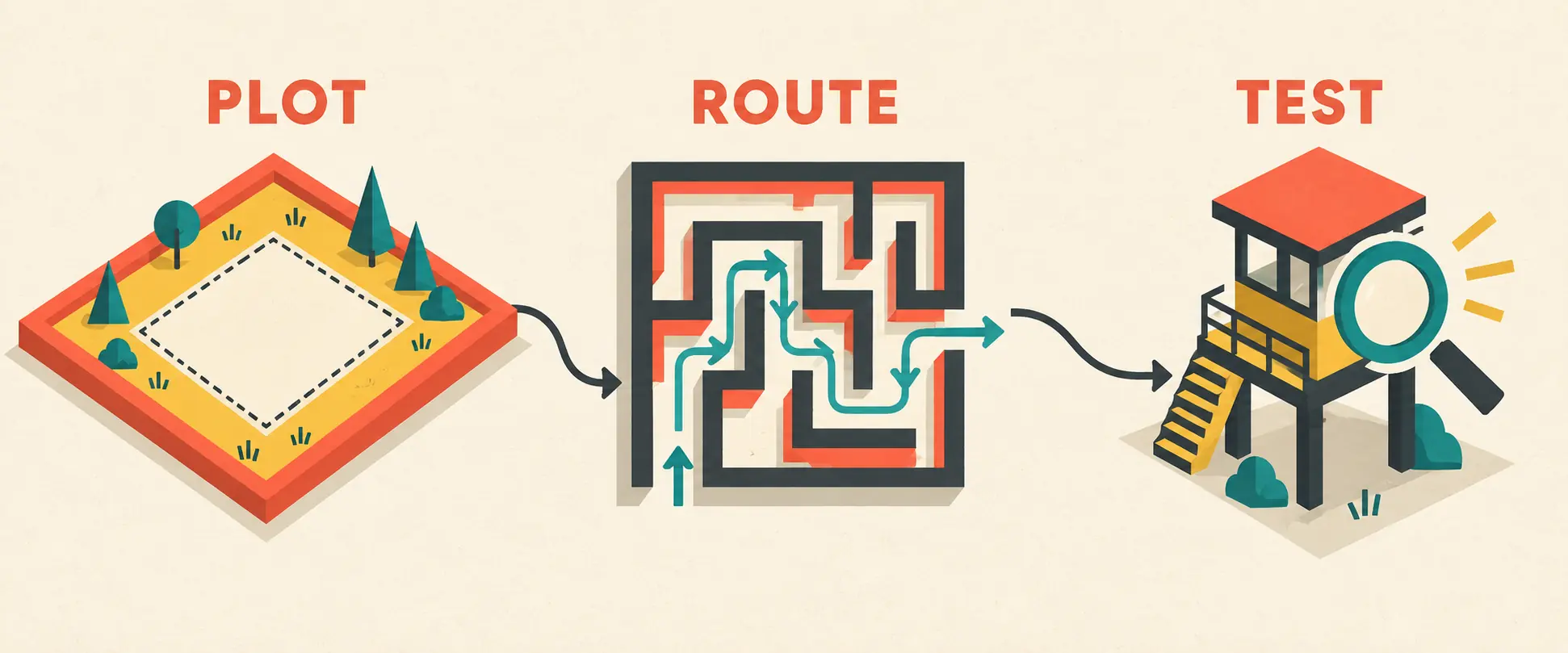
A plot is the buildable space; a route is the path visitors take inside it. New players often spend the first minutes filling the plot with rooms and decorations without leaving a readable entrance or main lane. Reverse that order. First identify where a visitor could enter, where the route should continue, and where you will stand to observe it. The plot gives you room to make decisions, but it does not prove that a layout works. The route becomes useful only when you can follow it in the normal play view and describe what a visitor should do next.
First-session guide
Step 3: build the smallest complete route
Start with an entrance, one main corridor, a turn, and a checkpoint or destination you can recognize. A compact route reduces the number of explanations when a visitor stops, turns away, or never enters. Use the layout generator as a planning sketch if you need a grid, but build only the smallest version that answers your first question. Do not treat the generated design as an official map or a guaranteed money route. In the game, leave enough space to see the path and to move the camera without hiding the first turn behind decoration.
First-session guide
Step 4: use the normal play view to test it
The build view tells you what you placed; the play view tells you whether the space can be read and traversed. Follow the route yourself with the standard Roblox movement and camera for your platform. Check the entrance, main lane, turn, and destination from more than one angle. If you cannot tell where the route goes, a visitor may also be difficult to interpret. This is not a promise about pathfinding internals. It is a practical observation rule: make the baseline visible before using a monster, a branch, or a cash result to explain a slow run.
First-session guide
Step 5: let visitor movement become the first signal
Watch the same three points more than once: entry, main lane, and first turn. If visitors never enter, inspect the opening and the build shape. If they enter but split away, remove a branch or simplify the test. If they repeat the lane, you have a usable baseline for a single change. Avoid turning one lucky movement or one reward into a permanent rule. Record the route shape, the placement you changed, and the visible result. That small record is more useful than a screenshot with no date or explanation.
First-session guide
Step 6: add one variable, not a complete theory
Once traffic is visible, test one monster placement, one connection, or one cash-related decision. Keep the rest of the route stable so that you know what changed. If the result is different, label it as an observation until you can repeat it. This is why the monster guide and money-farm guide are separate pages: they answer narrower questions after the basic route exists. A first session should teach you how to compare a change, not force you to memorize an unverified catch rate, reward, cost, or income-per-minute claim.
First-session guide
Step 7: expand only after the baseline survives a retest
Expansion is useful when it answers a new question. Add one branch, move one placement, or change one connection, then revisit the same checkpoints. Keep the compact route as a mental or written reference. If a visible update changes rooms, UI, visitor movement, monsters, economy behavior, description, or thumbnail context, retest the smallest route before trusting an older recommendation. A larger build is successful when it remains easy to explain, not merely when it occupies more plot space.
First-session guide
Common first-session mistakes
The most common problems are confusing this experience with another Backrooms game, copying an old control list, building too wide before checking traffic, changing several pieces at once, and treating a single reward as proof of a stable farm. Each mistake makes the next result harder to diagnose. Use the official link, keep the first route small, follow the current on-screen UI, and write down one visible change at a time. When a claim cannot be repeated, keep it as a note to retest rather than presenting it as a guaranteed strategy.
Visual route checks
Three visuals for the first Build Your Backrooms session
Official Roblox media used to identify the building context; it does not prove a universal control mapping.Editorial explanatory graphic: separate the buildable plot from the route you need to test.Existing editorial mechanics graphic showing the observation loop after a first route is visible.
How to play Build Your Backrooms starts with identification and observation: join the right experience, find the plot, build one readable route, test it in the normal play view, watch visitors, change one variable, and retest before expanding. Use the current in-game UI for controls and the official Roblox page for the entry point. The beginner guide, plot explainer, layout generator, mechanics page, and money-farm guide then cover the narrower decisions that come after the first route works.
FAQ
How to Play Backrooms in Roblox: FAQ
Is this a guide for every Backrooms game on Roblox?
No. It is specifically scoped to the Build Your Backrooms experience linked on this site. Roblox has many Backrooms games with different maps, controls, rooms, and goals.
What should I build first in Build Your Backrooms?
Build the smallest complete route you can read: an entrance, a main lane, one turn, and a visible checkpoint or destination. Test that route before adding decoration or extra branches.
What are the exact Build Your Backrooms PC, mobile, or controller controls?
Start with standard Roblox movement and camera controls, then follow the current on-screen build prompt. The game UI can change, so this page avoids presenting an unverified shortcut list as permanent fact.
How do I know whether my first route works?
Watch the entrance, main lane, and first turn more than once. A useful baseline lets you explain where visitors go and what changed when you make one controlled adjustment.
When should I place a monster or test a money route?
After you can observe repeatable visitor traffic. A monster or cash result is difficult to interpret when the route itself has not been tested.
When should I retest my Build Your Backrooms setup?
Retest after a visible change to rooms, UI, visitor movement, monsters, economy behavior, the public description, or the thumbnail context. Keep older notes clearly marked until the new result repeats.